Tabs block
A tabbed content block — five visual styles, each tab holds full markdown rich text.
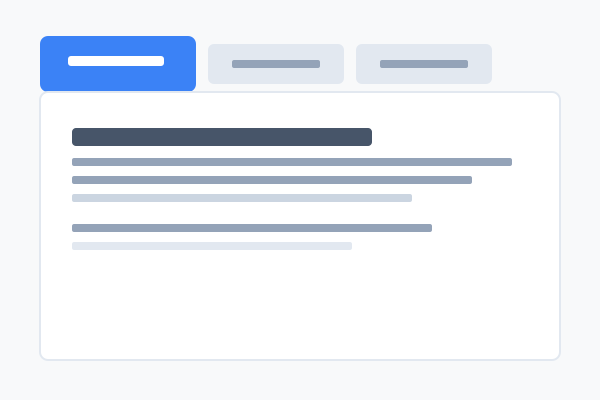
What is the Tabs block?
The Tabs block groups multiple chunks of content behind a tab bar — readers click a label to swap the visible content. Use it when you have parallel information (pricing tiers, OS-specific instructions, FAQs by category) and want to keep the page compact.
Each tab holds full markdown rich text, including the 13 inline blocks. The block ships with five visual styles and (for styles 0–3) a configurable horizontal alignment.
Every example below uses the same three tabs so you can compare the chrome directly. Hover over any example for the "How to set this up" button.
Style 0 — Underline
Flat, transparent tabs with a coloured underline on the active tab. The most subtle of the five styles — fits in almost anywhere without dominating the page.
Good for
- Documentation where the chrome should disappear
- Within larger compositions where another block already provides visual weight
- Mobile-first pages where minimal UI matters most
Tips
- Combine with
tabPosition: "center"for a more headline-y feel. - Long tab labels look more balanced in this style than in pills.
Style 1 — Pills
Rounded pills sit on a panel-background track; the active pill is filled with the primary colour. The most app-like of the five styles.
Good for
- Product UI tutorials where the controls feel software-y
- Settings or preferences screens
- Anywhere the active state needs to feel like a switch
Tips
- Keep labels short — long words make pills look stretched.
- Three to five pills works best.
Style 2 — Bordered Panel
Tabs sit on top of a bordered content panel like file folder tabs — the active tab visually connects to the panel below.
Good for
- Documentation sites
- Software install instructions split by OS
- Anywhere you want a clear boundary around the content
Tips
- Try
tabPosition: "right"for a less common but striking look. - The
tabPositionalso rounds the matching corner of the panel.
Style 3 — Card
Raised individual card tabs above a bordered content card, with a shadow on the active tab. The most prominent of the five — the tabs feel like real objects on the page.
Good for
- Marketing pages comparing plans or products
- Hero-adjacent sections that need a confident look
- Any tabset that should command attention
Tips
- Pairs nicely with vivid tab labels ("For teams", "For solo")
- Avoid more than four tabs — they get visually crowded.
Style 4 — Vertical
A sidebar of tabs on the left on large screens, falling back to a horizontal underline layout on mobile. Best when tab labels are descriptive sentences rather than single words.
Good for
- Long-form documentation
- Help centres with many sub-topics
- Settings panels with descriptive labels
Tips
- The
tabPositionfield is ignored — vertical tabs always sit on the left. - Works well alongside other content because the layout feels like a sub-nav.