CTA block
A call-to-action panel — heading, copy, up to four buttons and (in some styles) imagery. Ten layouts.
What is the CTA block?
The CTA (Call to Action) block is a standalone panel designed to push a single decision — sign up, book a call, download the guide. Use it between sections to break up a long page and refocus attention.
It ships with ten styles, ranging from minimal text-only layouts (0–2) to inverted dark panels (5–6) to image-heavy mosaics (7–9). All styles share the same fields: heading, subTitle, richText, buttons, and (for image styles) images.
The examples below all use the same headline + body + buttons so the chrome and layout differences are easy to see. Hover over any example for the "How to set this up" button.
Style 0 — Buttons Row
Centred copy and a horizontal button row.
The default CTA layout — the safest choice when you don't have a strong reason to pick anything else.
Style 1 — Buttons Column
Buttons stack vertically, full-width on mobile.
Reach for this when your buttons have longer labels or when mobile is the primary device.
Style 2 — Simple Wide
Copy on the left, button column on the right.
Magazine-strip layout — reads naturally as a horizontal callout between dense sections of body text.

Style 3 — Left Image
Image on the left, content on the right.
Pair photography that anchors the offer — product shots, hero portraits, scene-setting visuals — with the headline.
Style 4 — Right Image
Mirror of style 3 — content on the left, image on the right.
Use when the natural reading order should hit the copy first and the photography reinforces afterwards.

Style 5 — Dark Panel Centre
Centred content on a dark rounded panel.
Inverts the page — white text on a dark background. Use as a visual break between lighter sections.
Style 6 — Dark Panel Left
Same dark panel, content left-aligned.
Reads more like a sidebar callout than a banner. Pairs nicely with adjacent content rather than dominating the page.


Style 7 — Image Mosaic
1-4 images in a small grid on the left.
Best for marketing pages that want to hint at multiple things at once — a product range, a portfolio, the spread of work you do.
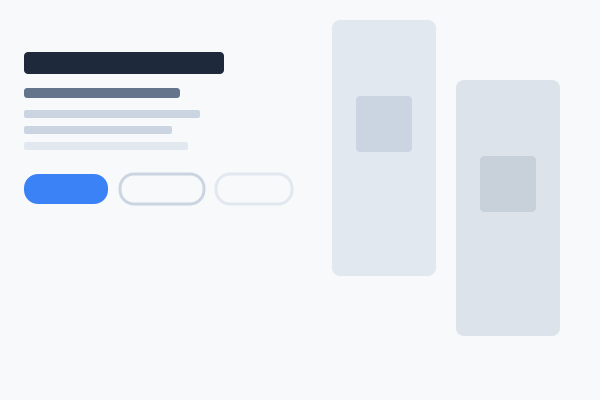
Style 8 — Two Image
Content left, two stacked images right.
A softer image presence than the four-tile mosaic — two views is enough to evoke a sense of range without dominating the copy.
Style 9 — Staggered Four
Large heading and four offset square images.
The most visually rich CTA. Reserve for big moments — product launches, end-of-year retrospectives, the final "book now" on a campaign page.